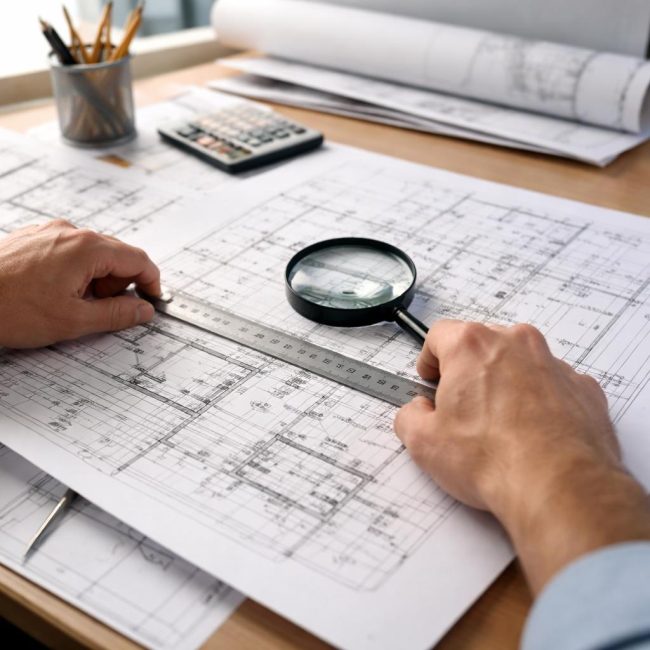
Working with design documentation is rarely limited to its digital creation. In real-world settings, a project almost always goes through a paper reproduction stage: for the construction site, approvals, archives, and handover to contractors. It is at this stage that copying designs becomes a technically critical procedure, requiring proper preparation of source materials.
Errors during the design preparation phase lead to distorted scale, loss of detail, and, consequently, problems during the project implementation phase. Therefore, a competent approach to documentation preparation is no less important than the design itself.
- Why preparation is more important than it seems
- Determining the purpose of copying documentation
- Checking the scale: a key technical point
- Sheet formats and orientation
- Color or Black and White: How to Make the Right Choice
- Line thickness and legibility
- Working with files: order and structure
- Checking stamps and service information
- Table: Common preparation mistakes and their consequences
- Preview before copying
- Conclusion
Why preparation is more important than it seems
It's a common misconception that high-quality copying depends entirely on the hardware. In practice, up to 70% of problems are not related to the hardware, but to the source files and their structure.
An incorrectly prepared project can lead to:
- violation of scale;
- illegible sizes and inscriptions;
- disappearance of fine lines and shading;
- incorrect orientation of sheets;
- non-compliance with design standards.
All these errors occur again to start of printing or copying and are easily prevented at the preparation stage.
Determining the purpose of copying documentation
The first step is to clearly understand, Why exactly is a copy of the project required?The format, color, and quality requirements depend on this.
Main scenarios:
- work kits for construction sites;
- copies for coordinating bodies;
- copies for contractors of individual sections;
- archival copies;
- presentation materials.
For example, a kit for installing engineering systems requires maximum legibility of lines and dimensions, while an archival version requires an exact match to the original.
Checking the scale: a key technical point
Scale is a critical parameter in engineering documentation. Before copying, ensure that:
- the scale is indicated correctly on each sheet;
- the scale in the file corresponds to the real one (1:50, 1:100, etc.);
- there are no “stretched” or compressed sheets;
- frames and stamps do not extend beyond the format boundaries.
Particular attention should be paid to projects that have gone through several revisions or conversions—this is where the scale most often breaks down.
Sheet formats and orientation
Project documentation typically comes in a variety of formats, from A4 to A0 and larger. Before copying, it's important to:
- check that each sheet corresponds to the stated format;
- make sure the orientation is correct (landscape/portrait);
- exclude automatic scaling "by width" or "by height";
- Make sure the frame fits completely within the print area.
A common mistake is when a program automatically reduces an image when printing to fit it on the sheet. This is unacceptable in engineering documentation.
Color or Black and White: How to Make the Right Choice
Before copying, you need to determine, does the project carry a color load?Color is really important if:
- different engineering systems are separated by colors;
- color conventions are used;
- There are schemes with a logical color structure.
If color is used only as a decorative element, the black and white option is often more practical: the lines look more contrasting, and small elements are easier to read.
Line thickness and legibility
Engineering drawings often contain minimal line widths. Before copying, it is recommended:
- check if the lines used are too thin;
- make sure that the hatching lines do not stick together;
- test one sheet at real scale;
- check the readability of dimensions and callouts.
This is especially true for older projects or files prepared for on-screen display rather than printing.
Working with files: order and structure
Files that are disorganized are a common cause of errors. Before copying, it's advisable to:
- arrange the sheets in a logical sequence;
- divide projects into sections (AP, CR, OV, VK, etc.);
- check the sheet numbering;
- remove duplicates and outdated versions.
A clear structure saves time and reduces the risk of an outdated sheet being printed.
Checking stamps and service information
Before copying, the following must be checked:
- name of the project;
- stage (P, RD, etc.);
- date and version number;
- signatures and marks.
This is especially important when copying projects for approval or transfer to contractors—a discrepancy in the stamp can render the set formally invalid.
Table: Common preparation mistakes and their consequences
| Error | Possible consequence |
|---|---|
| Incorrect scale | Installation errors |
| Automatic sheet reduction | Distortion of sizes |
| Too thin lines | Loss of parts |
| Confused formats | Unable to use the drawing |
| Outdated version | Alterations and delays |
Preview before copying
The final, but mandatory, step is visual inspection. This includes:
- view each sheet at 100% scale;
- checking frames and indents;
- control of readability of key nodes;
- reconciliation with the list of sheets.
Even a quick look allows you to identify most problems before you start copying.
Conclusion
Preparing design documentation for copying is a technical process that directly impacts the quality of project implementation. Careful checking of scale, formats, lines, and file structure determines not only the appearance of the drawings but also their practical value.
A well-prepared design is easy to replicate, read without clarification, and functions exactly as the designer intended. In a context where mistakes are costly, this stage cannot be viewed as secondary—it is a logical continuation of the engineering work, not just a technical formality.